
Invoices
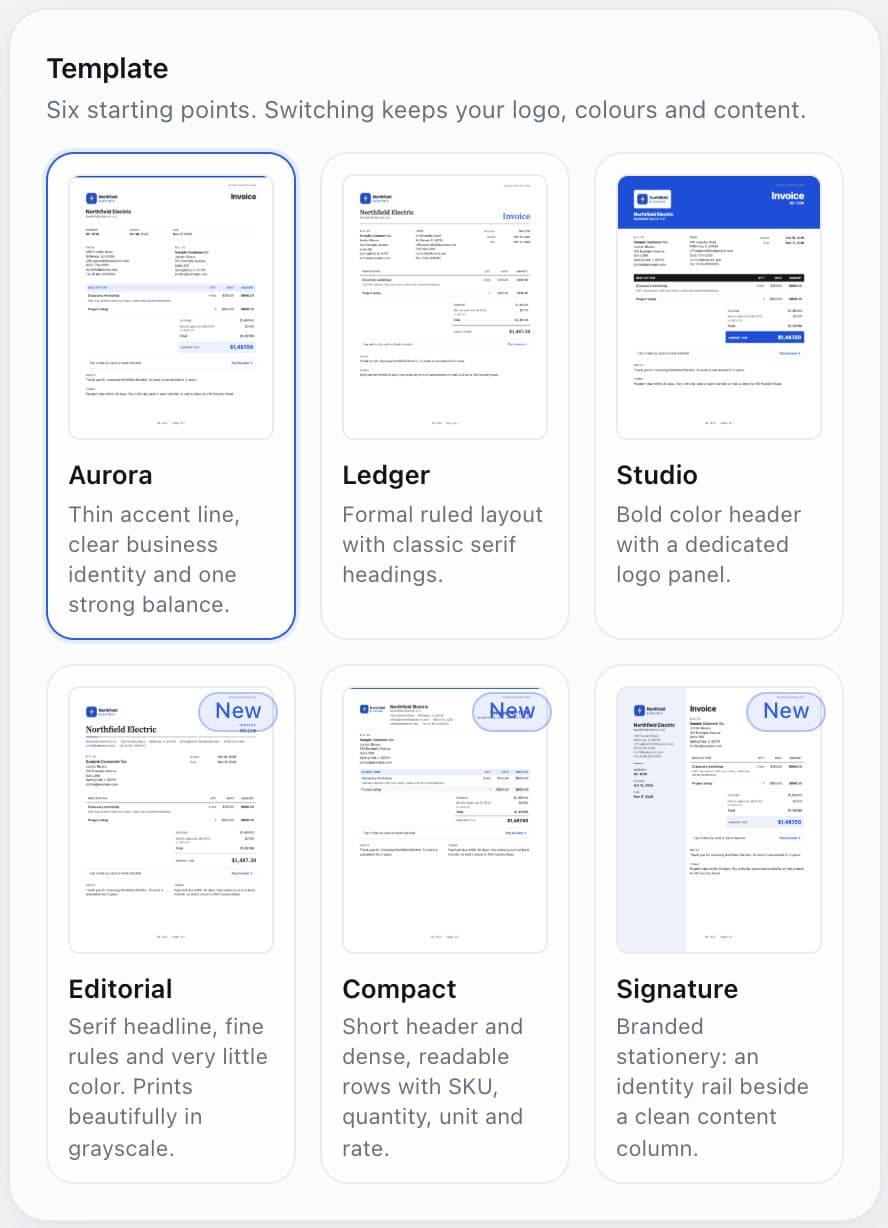
Six designer templates in five languages. Preview, PDF and email always match.

Free accounting with an AI bookkeeper that sorts, matches and closes your month, and asks before it changes anything.
Free forever · No card needed · Unlimited businesses
Every business you own pays it again.
FreshBooks charges by the client. Wave moved bank feeds behind a paywall.
So we built the opposite.
Sources: QuickBooks pricing, NerdWallet: price history, FreshBooks pricing, Wave: legacy plan changes.
Superpower AI
Ask Finch. It prepares every change, then waits for you.
Confirm, and the week is filed.
Changed your mind? One tap puts every row back.
Sort last week and match my receipts
I sorted 8 transactions and matched 2 receipts. Nothing changes until you confirm.
File 8 transactions
Undone. Every row is back exactly as it was.
Real screens from the real app, nothing staged.
Six designer templates in five languages. Preview, PDF and email always match.

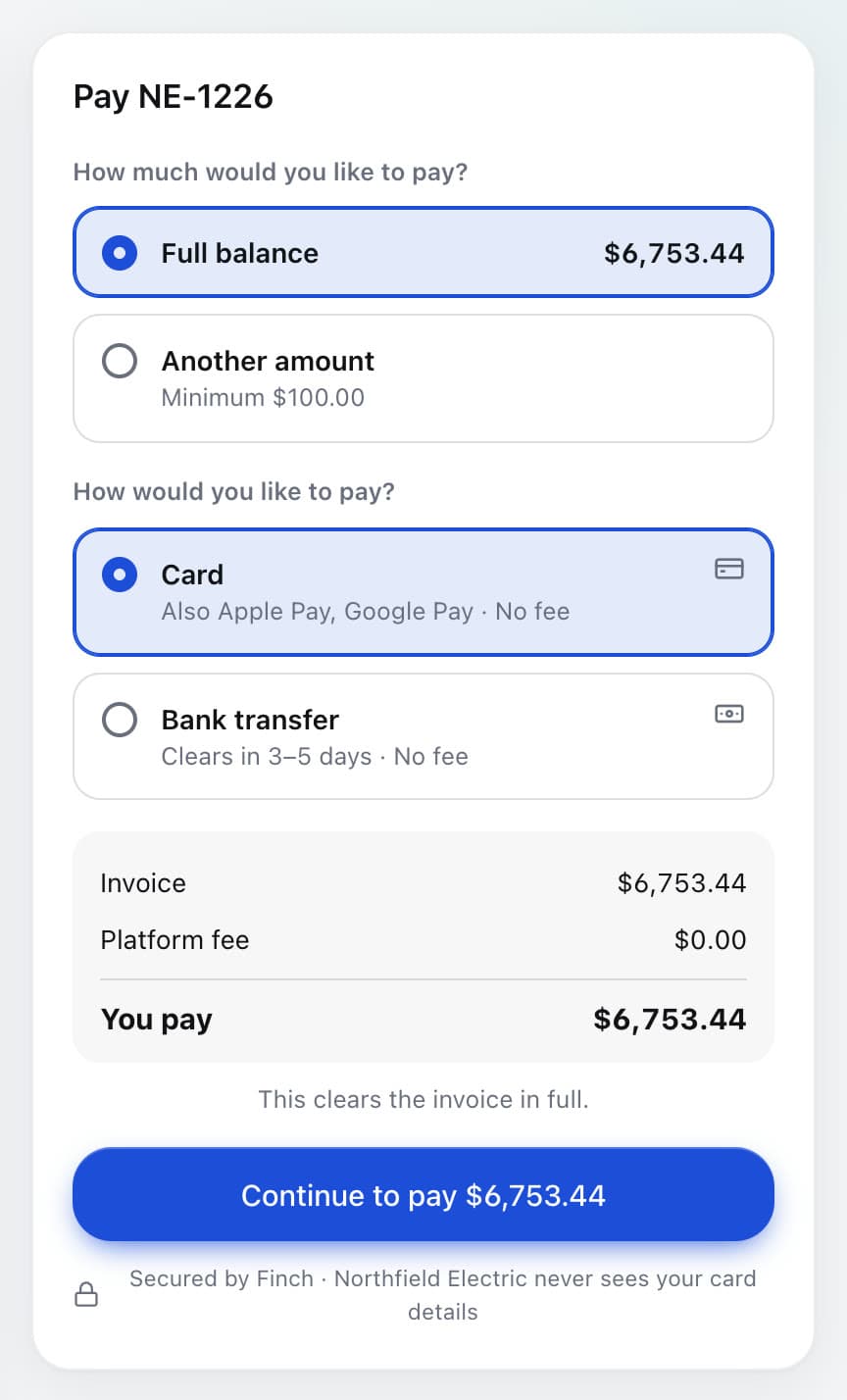
Card, Apple Pay, Google Pay or bank transfer. Bank payments cost 0.8%, never more than $5.

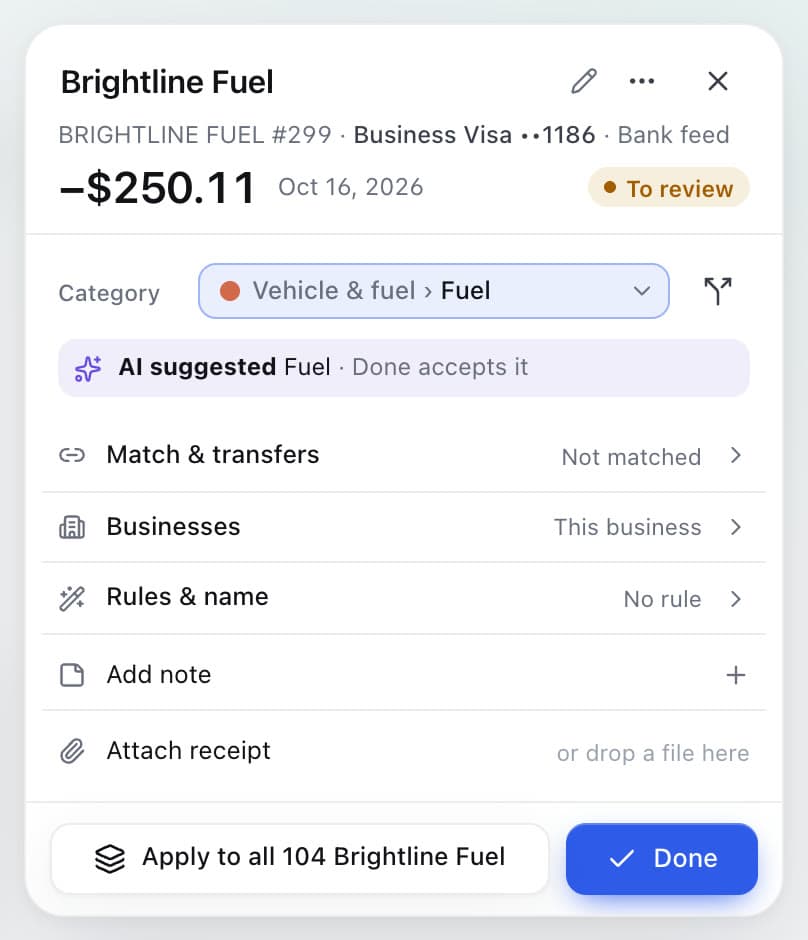
Every account, up to 24 months of history, synced every 6 hours.

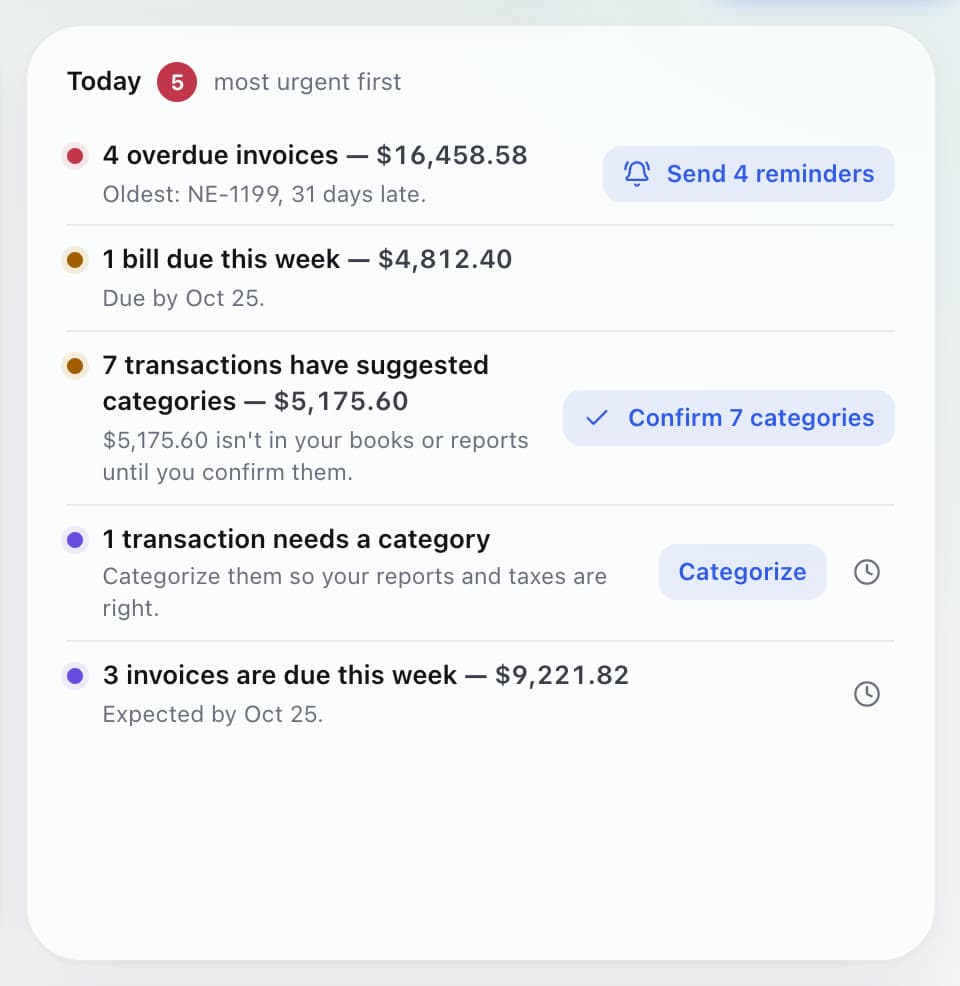
Bills, vendors and roles for your team and your accountant.

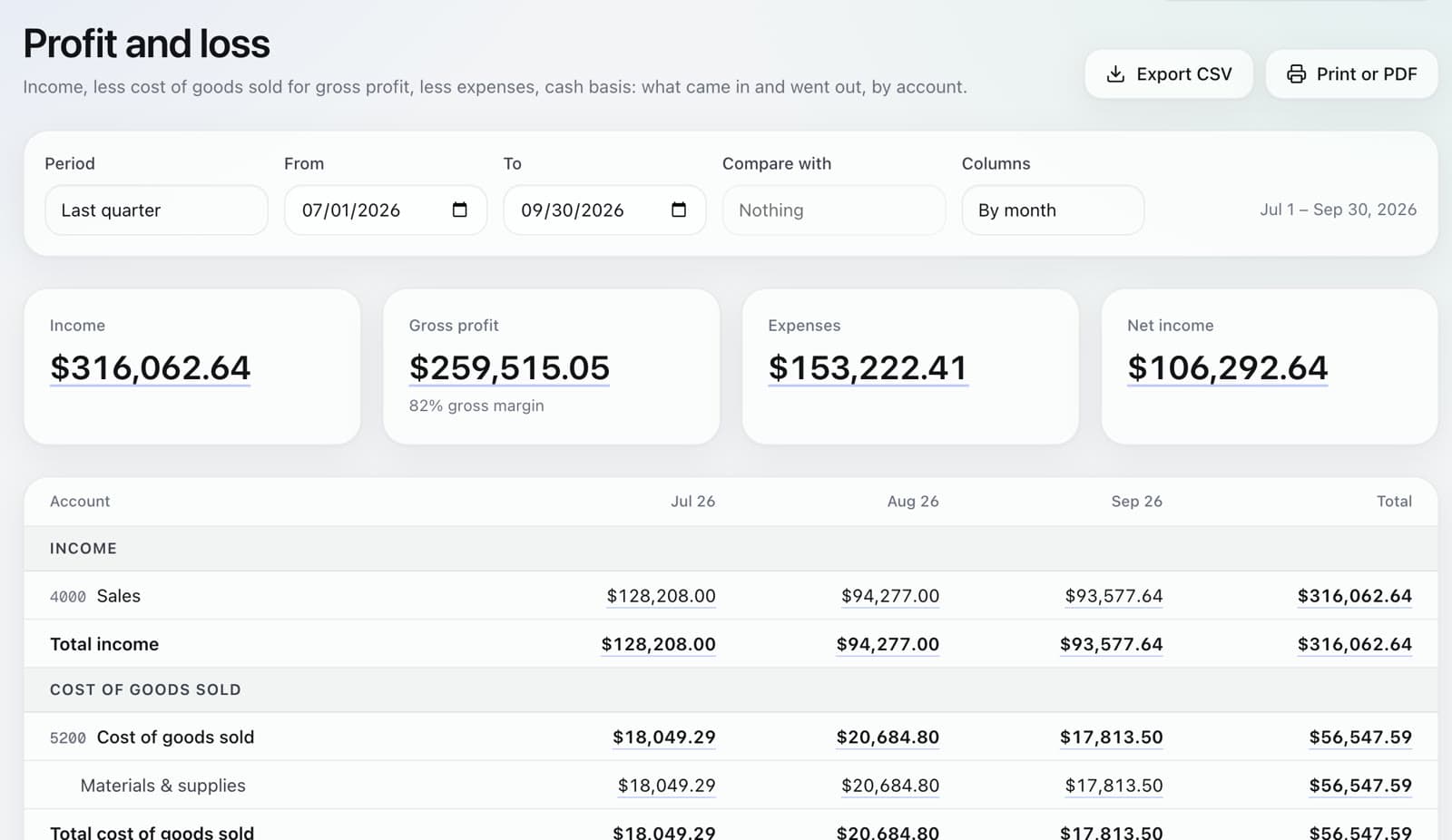
Double-entry, 21 reports, budgets and cost of goods. Every P&L line opens to the transactions behind it.

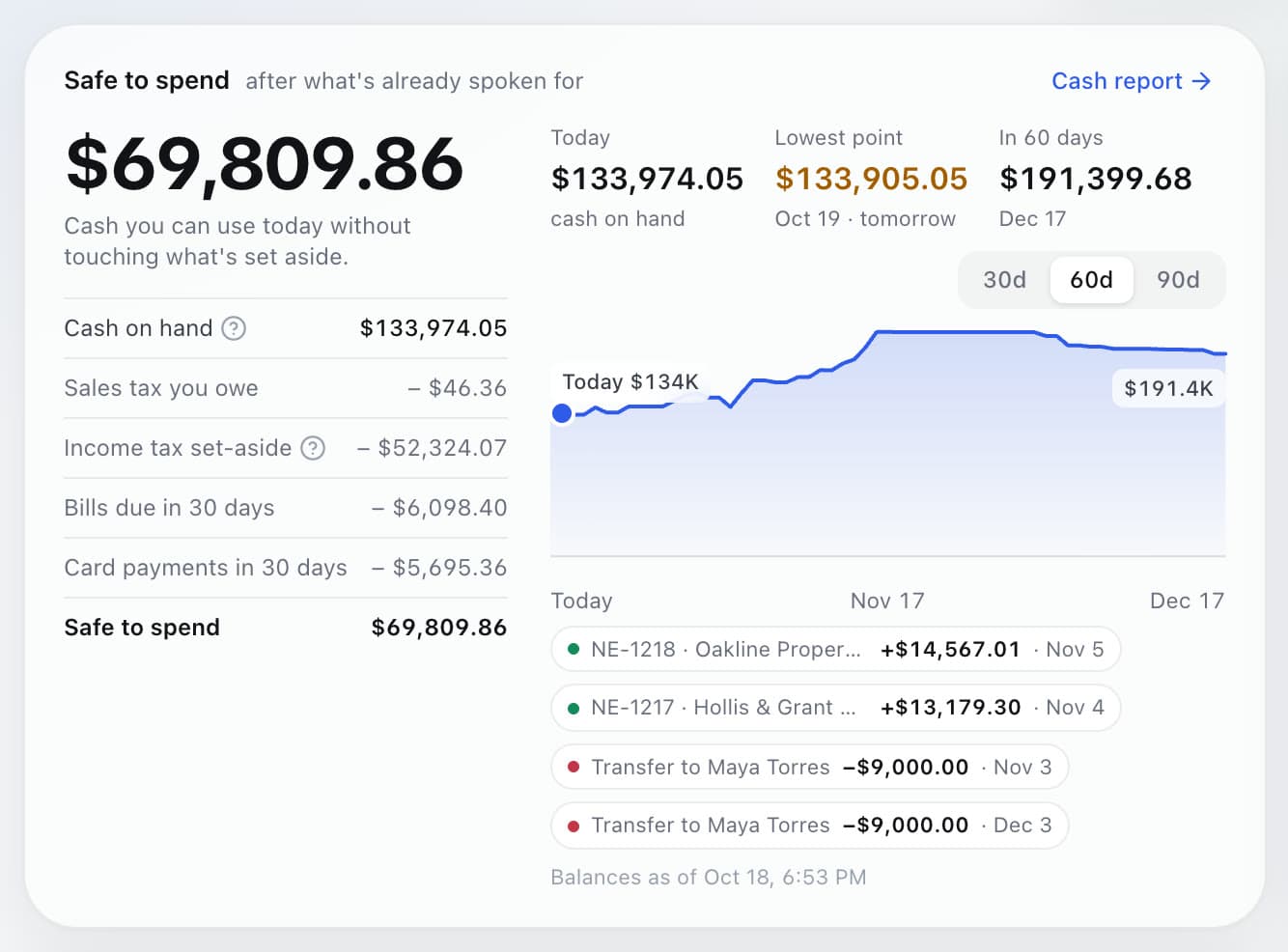
Safe to spend today, and 90 days ahead based on when each customer really pays.
All of it, $0.
Start free
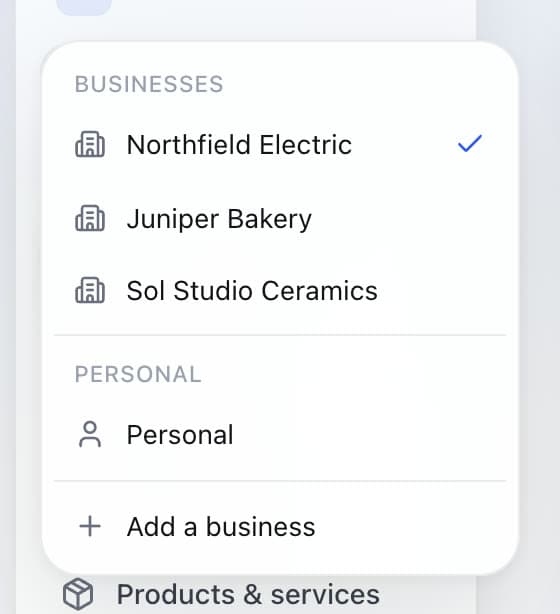
Add as many businesses as you like, free. Switch between them in one tap, see your personal net worth with your share of each, and ask Finch AI about all of them at once.
QuickBooks Online, Plus
Juniper Bakery$140/mo
Juniper Catering$140/mo
Cottage Rental$140/mo
Three subscriptions$420/mo
Finch · one login
Juniper Bakery LLC$0
Juniper Catering LLC$0
Cottage Rental Sole prop$0
Personal Household$0
Everything$0/mo
When the bakery pays the catering company's supplier, Finch books both sides and keeps a who-owes-whom report, so nothing gets lost between your businesses.
Finch reads every receipt and invoice and files it on the right line.
Your profit and loss, true to the cent.
Every number comes from their own pricing pages, checked October 18, 2026. Links in each card.
Finch vs QuickBooks Online
| Feature | Finch | QuickBooks Online |
|---|---|---|
| Two businesses, per month | $0 | from $76 (Simple Start × 2) |
| Free plan | Everything, unlimited businesses | 1 bank account, 2 invoices and 1 estimate a month, no accountant access |
| Card payments | 2.9% + 30¢ (2.7% + 30¢ on Superpower) | 2.99% on invoices |
| Bank transfers | 0.8%, never more than $5 | 1% |
| AI bookkeeper | 100 free actions, then unlimited for $49/mo | Included by plan tier; usage-based pricing announced |
| Undo any AI change | Yes, every change | Not documented |
| Personal finances, same login | Included | Not offered |
Finch vs FreshBooks
| Feature | Finch | FreshBooks |
|---|---|---|
| Two businesses, per month | $0 | from $46 (Lite × 2) |
| Free plan | Everything, unlimited businesses | No free plan |
| Card payments | 2.9% + 30¢ (2.7% + 30¢ on Superpower) | 2.9% + 30¢ (Amex 3.5% + 30¢) |
| Bank transfers | 0.8%, never more than $5 | 1% |
| AI bookkeeper | 100 free actions, then unlimited for $49/mo | None advertised |
| Undo any AI change | Yes, every change | Not applicable |
| Personal finances, same login | Included | Not offered |
Finch vs Wave
| Feature | Finch | Wave |
|---|---|---|
| Two businesses, per month | $0 | from $38 (Pro × 2) |
| Free plan | Everything, unlimited businesses | Manual entry only; bank connections moved to Pro on June 1, 2026 |
| Card payments | 2.9% + 30¢ (2.7% + 30¢ on Superpower) | 2.9% + 60¢ |
| Bank transfers | 0.8%, never more than $5 | 1% ($1 minimum) |
| AI bookkeeper | 100 free actions, then unlimited for $49/mo | None advertised |
| Undo any AI change | Yes, every change | Not applicable |
| Personal finances, same login | Included | Not offered |
Free is the whole product. Superpower AI is the bookkeeper that does it for you.
$0forever
Everything QuickBooks charges for, for every business you own.
$49a month
+$29/mo for each additional business. An AI bookkeeper that does the work and asks first.
Start on Free with 100 AI actions, upgrade any time.
*Bank sync runs through SimpleFIN Bridge, which you pay directly: $1.50 a month or $15 a year, and one SimpleFIN subscription covers every business you own. Payment fees apply only when you collect money.
Finch saves you $369 a year against the cheapest alternative.
A year at list prices on October 18, 2026, before promotions. Each competitor uses its cheapest plan with bank feeds and unlimited invoices, one subscription per business. Card fees assume every sale is an invoice paid by card at the average you picked.
An AI bookkeeper is only useful if you can trust it. So Finch is built to be checked.
Finch is free accounting software for small businesses and for people who run more than one business. It includes invoicing, card and bank payments, bank sync, double-entry books with 21 reports, and Finch AI, a bookkeeper that proposes changes you confirm and can undo. Superpower AI makes the AI unlimited for $49 a month.
Yes. Invoicing, estimates, card and bank payments, bills, double-entry books, 21 reports and unlimited businesses cost $0 a month. You pay per payment you collect (2.9% + 30¢ by card, 0.8%, never more than $5 by bank transfer) and, if you connect banks, $1.50 a month or $15 a year to SimpleFIN, the service that syncs them.
Unlimited Finch AI for $49 a month, plus $29 for each additional business. It categorizes transactions, reads receipts, matches payouts, reconciles accounts and closes the month in chat. Card payments drop to 2.7% + 30¢. The Free plan includes 100 AI actions to try it.
Not unless you let it. Every change is a proposal you confirm, and every applied change can be undone. Autopilot stays off until an admin turns it on, and even then it only files high-confidence items under a limit you set. Finch AI only uses model providers that don't collect your data.
For most small businesses, yes. Invoices, estimates, payments, bills, bank feeds, reconciliation, profit and loss, balance sheet, cash flow and sales tax reports are all included. You can start with opening balances and up to 24 months of bank history. Finch doesn't run payroll or track time yet.
Finch connects through SimpleFIN Bridge. You pay SimpleFIN directly ($1.50 a month or $15 a year), and one connection can feed every business you own. Finch pulls up to 24 months of history and keeps syncing every 6 hours. Bank access is stored encrypted with AES-256.
Yes, as many as you like, plus your Personal finances, under one login, free. When one business pays a bill for another, Finch books both sides and keeps a who-owes-whom report.
Cards cost 2.9% + 30¢ on Free and 2.7% + 30¢ on Superpower AI. Bank transfers cost 0.8%, never more than $5. There are no monthly fees, no setup fees and no fee to send an invoice.

Two businesses on QuickBooks Plus: $3,360 a year.
No card needed. Every business you own.